How to Enable the Address Field
Follow these steps:
- Log in to your account at Estimatty
- Open the Widget Settings section.
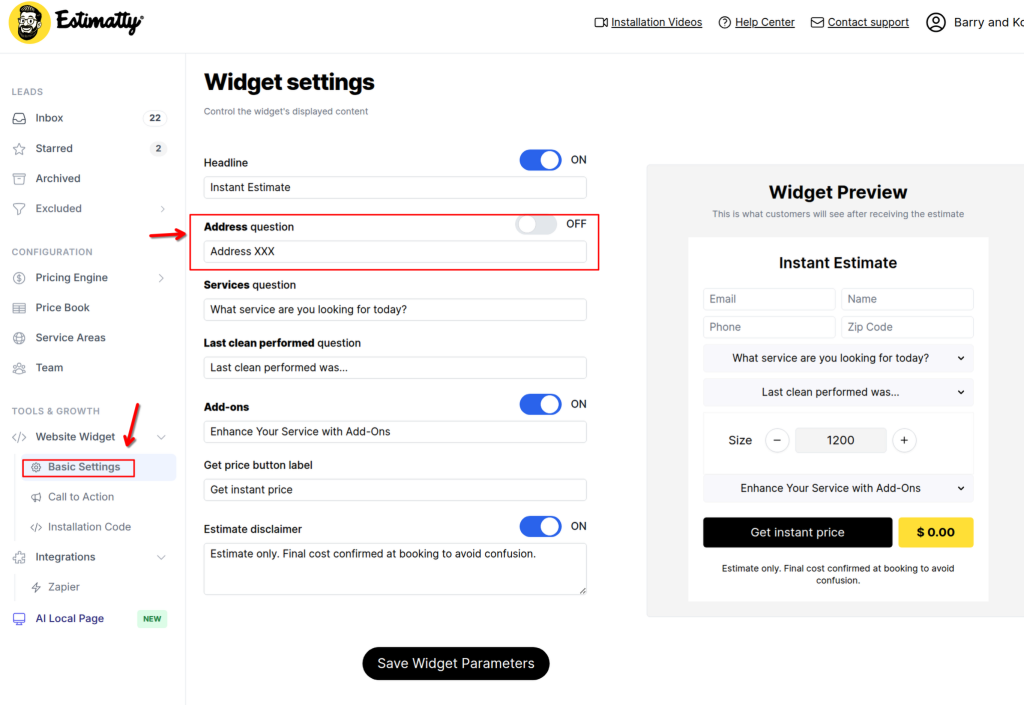
3. Locate the option called Address Field or Enable Address Input.
4. Toggle the option ON.
5. Click Save Widget Parameters.

Follow these steps:
3. Locate the option called Address Field or Enable Address Input.
4. Toggle the option ON.
5. Click Save Widget Parameters.