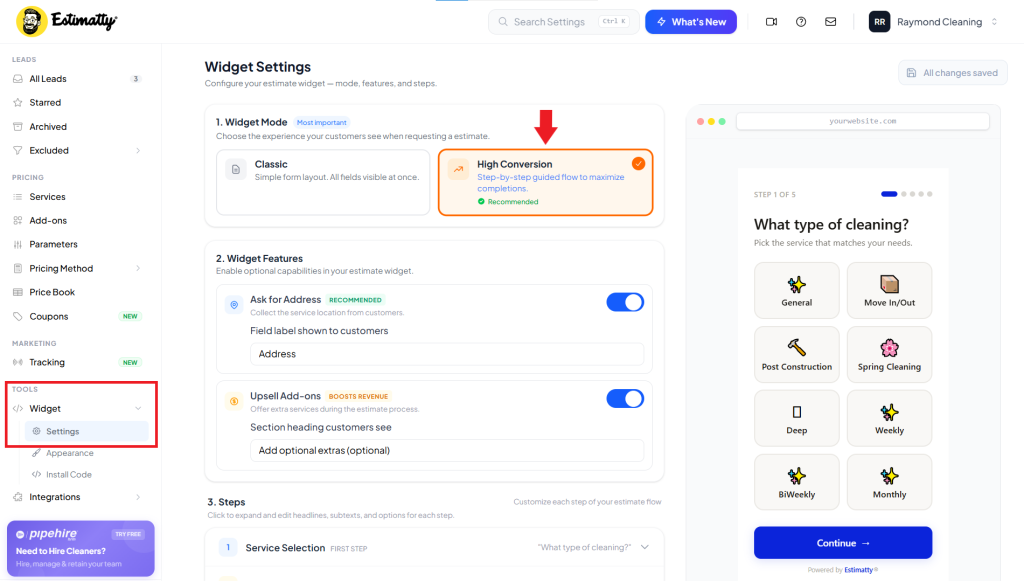
High Conversion Mode helps you improve the performance of your estimate forms by simplifying the user experience and reducing friction during the submission process. When enabled, your widget is optimized to increase completion rates and generate more leads.
This guide explains how to activate it step by step inside Estimatty.
How to Enable High Conversion Mode in the Estimatty Widget
Follow these steps to activate it in your widget:
1. Log into your Estimatty account
Go to Estimatty and sign in to your dashboard.
2. Open your widget settings
From the dashboard:
- Navigate to Widgets
- Select the widget you want to edit
- Click on Edit or Settings
3. Locate High Conversion Mode
Inside the widget configuration panel, look for:
- High Conversion Mode or Conversion Optimization / High Conversion Layout
This setting controls how the form is structured and optimized for user completion.
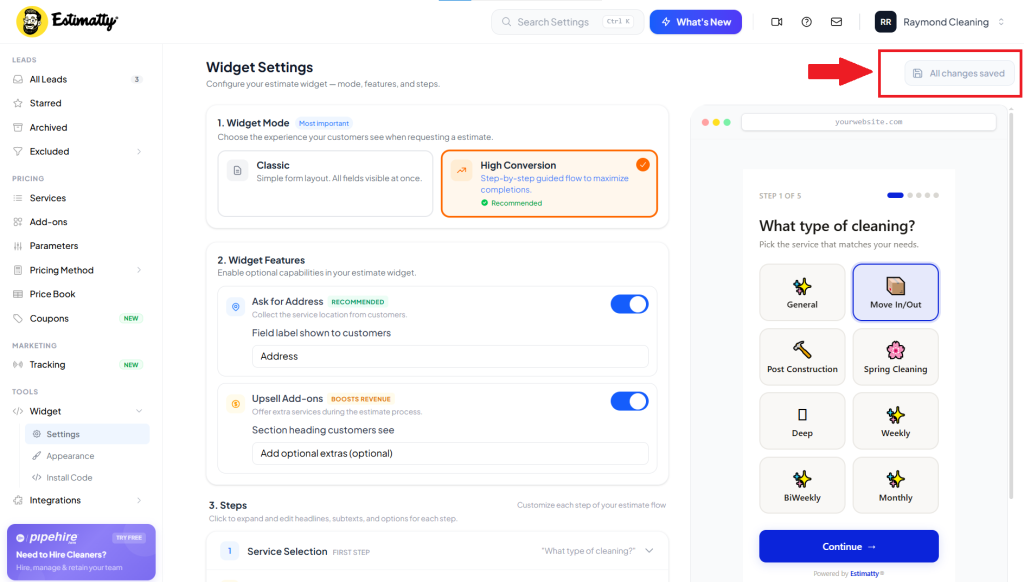
4. Changes Are Saved Automatically (No Need to Click “Save”)
In the latest version of Estimatty, you no longer need to manually click Save Changes. All updates are automatically saved in real time as you make them.
This means you can simply enable the feature and continue configuring your widget without worrying about saving your changes.
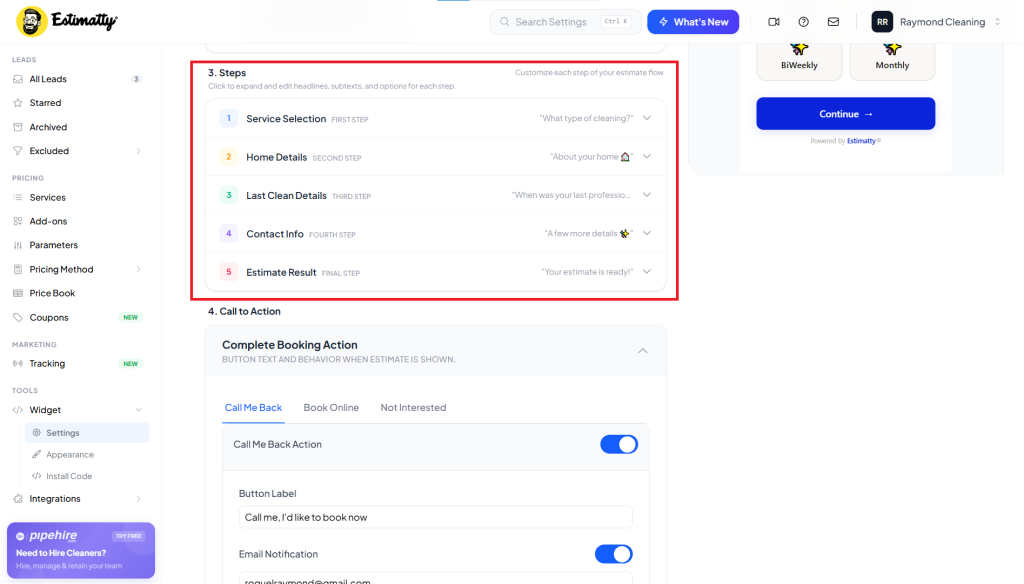
5. Widget Customization (Steps)
In this section you can edit or customize each step of your estimate flow
Click to expand and edit headlines, subtexts, and options for each step.