
Your widget just got an upgrade.
High Conversion Mode is a new way to present your estimate widget — designed specifically for mobile users. Instead of showing all fields at once, it walks your potential customer through a guided, step-by-step flow that feels like an app, not a form.
The result: more customers finish the process, more estimates get requested, and more leads land in your dashboard.
Here’s how to turn it on.
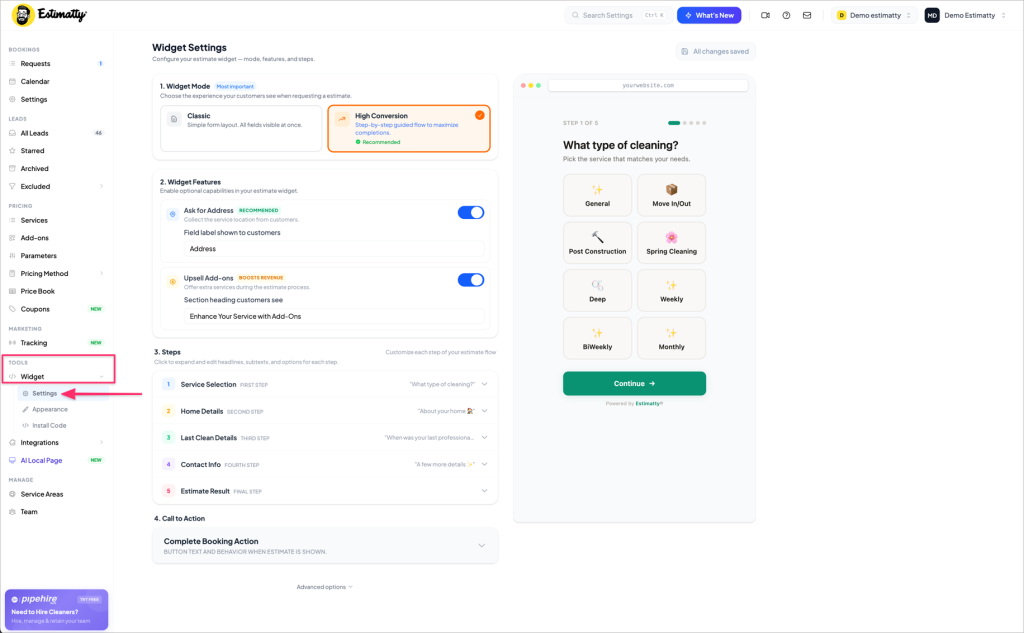
Step 1 — Go to Widget Settings
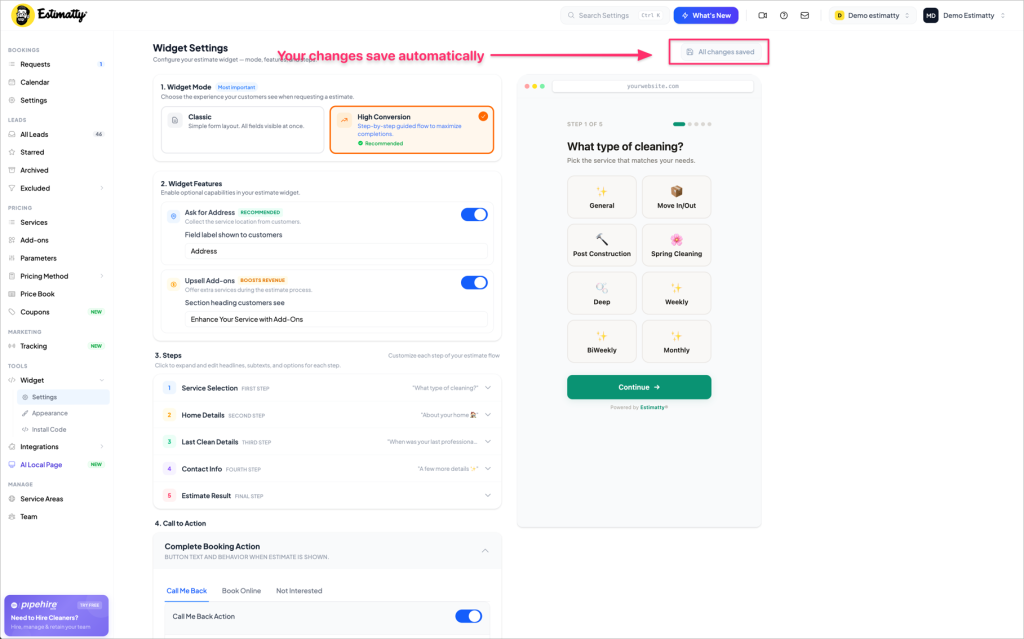
In your Estimatty dashboard, click Widget in the left sidebar, then click Settings.
Step 2 — Choose High Conversion Mode
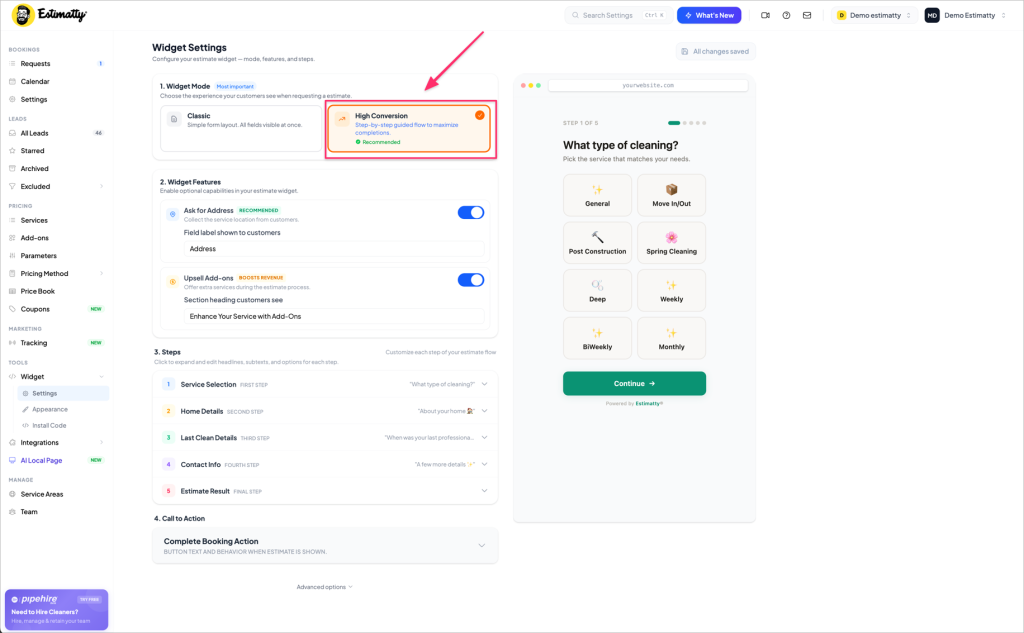
At the top of the page, under Widget Mode, you’ll see two options:
- Classic — All fields visible at once. Simple layout.
- High Conversion — Step-by-step guided flow. Recommended.
Click High Conversion. You’ll see the preview on the right update immediately, showing the new step-by-step experience your customers will see.
Step 3 — Review your steps
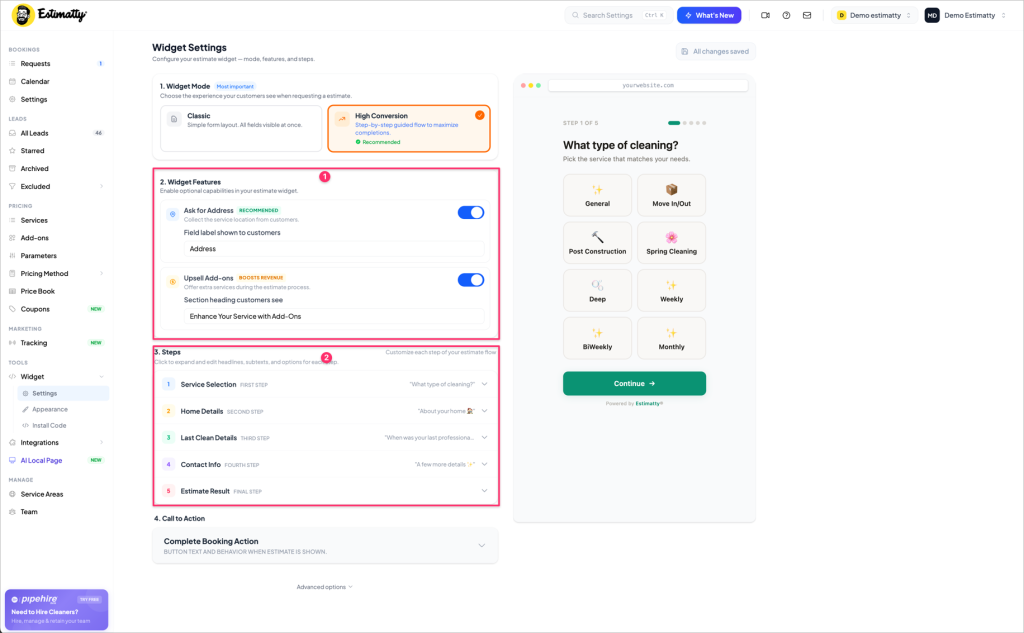
Once High Conversion Mode is selected, a numbered list of steps appears under section 3:
- Service Selection
- Home Details
- Last Clean Details
- Contact Info
- Estimate Result
Click any step to expand it and customize the headline, subtext, and options your customers see at that stage. Everything is editable — you’re not locked into any default copy.
Step 4 — Check your Call to Action
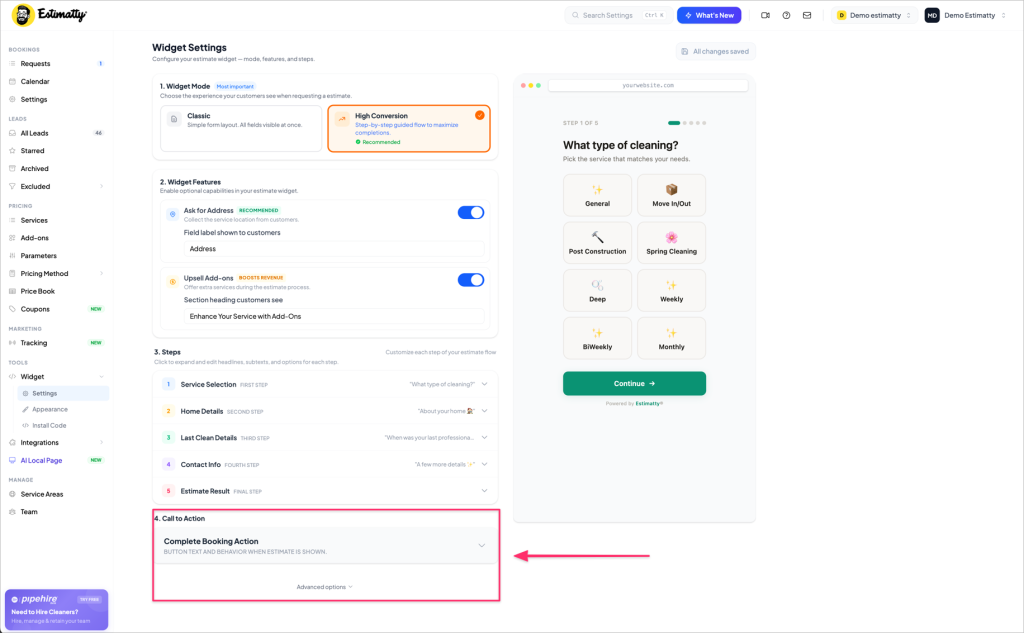
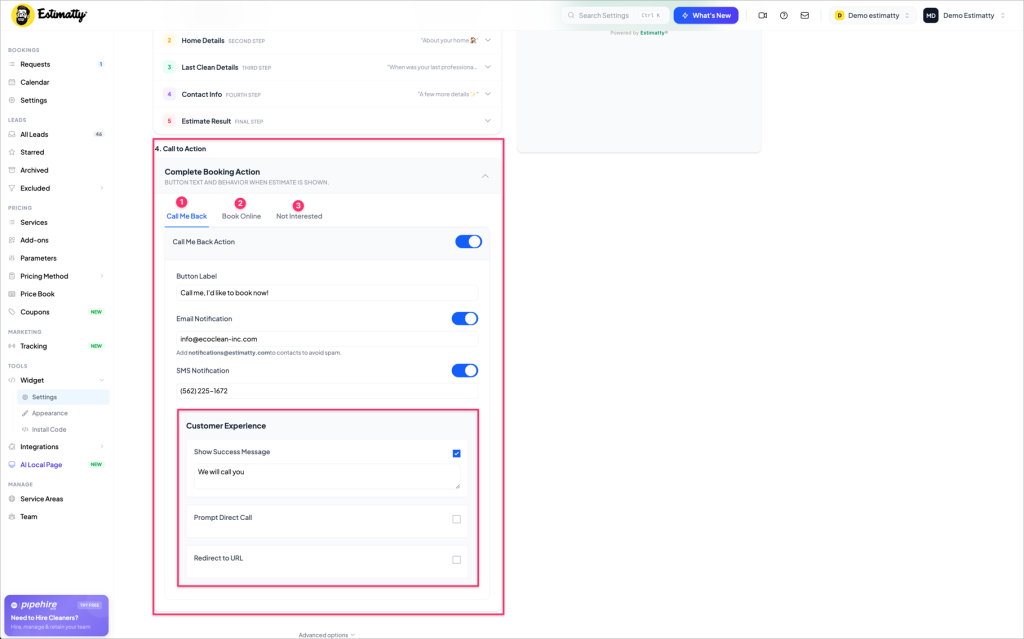
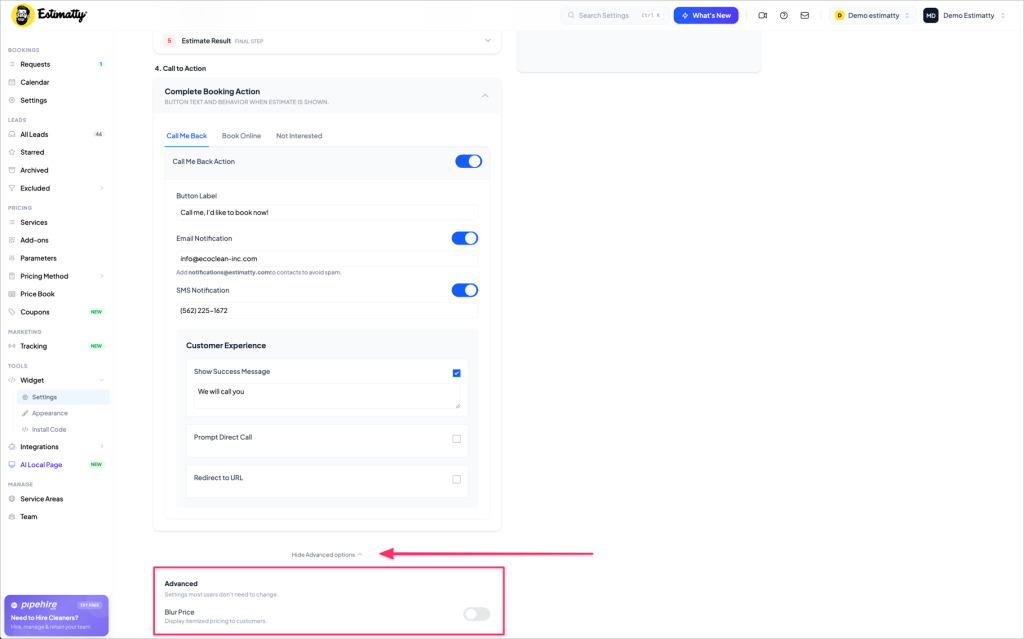
Scroll down to Call to Action to configure what happens after the customer sees their estimate. You have three options:
- Call Me Back — Customer requests a callback. You get an SMS and email alert instantly.
- Book Online — Customer goes straight to booking. Recommended if you have online bookings enabled.
- Not Interested — Captures the lead even if they don’t commit.
You can have all three active at the same time.
Step 5 — Save and publish
Your changes save automatically — you’ll see a confirmation in the top-right corner. No publish button needed. The new experience goes live on your website immediately.
Heads up for Classic mode users
Switching to High Conversion Mode doesn’t delete your Classic settings. If you ever want to go back, just click Classic under Widget Mode and your original setup will be right where you left it.
Why we recommend High Conversion Mode
85% of cleaning company website visitors are on a phone. A wall of form fields on a small screen creates friction — and friction kills conversions. The step-by-step flow removes that friction entirely. One question at a time. Big buttons. Fast to complete.
If you’re running Google or Meta ads and sending traffic to your website, this is the single fastest way to get more out of that spend without increasing your budget.
Want us to walk you through setting this up for your specific services?