
Connecting your Stripe account to Estimatty allows you to connect your payment processing with your Estimatty account and manage payments through your estimate and booking workflow.
Follow the steps below to connect your Stripe account.
How to Connect Your Stripe Account
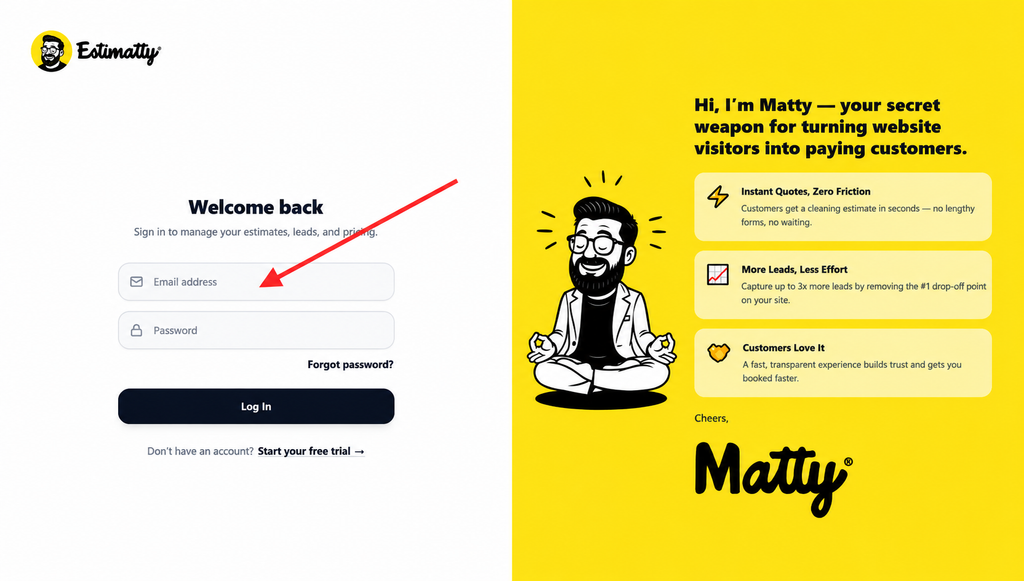
1. Log in to your Estimatty account
Go to Estimatty and log in to your account.
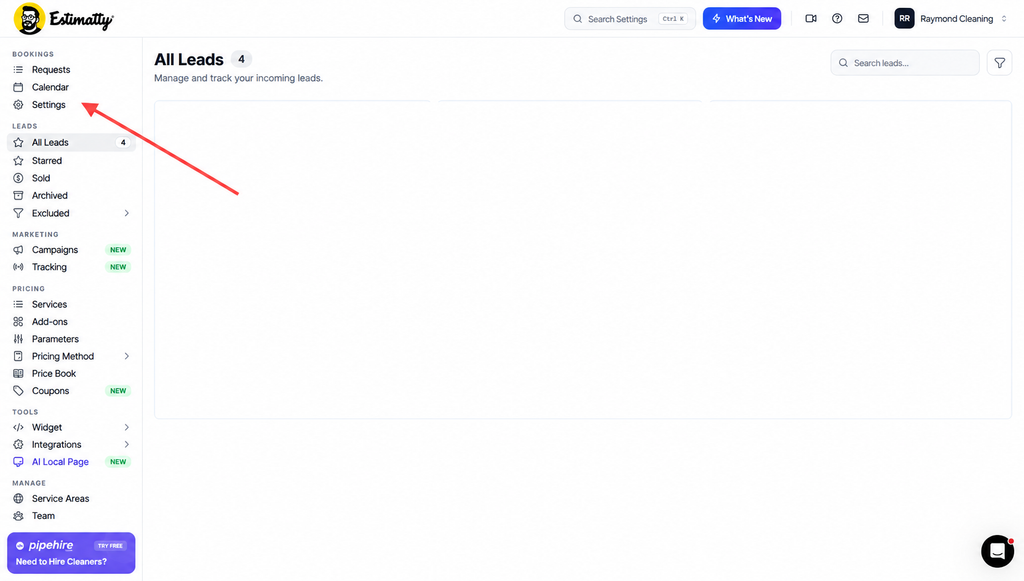
2. Go to Settings
Once you are logged in:
- Go to the Bookings section in the left-hand menu.
- Click Settings.
You can find Settings directly under the Bookings section.
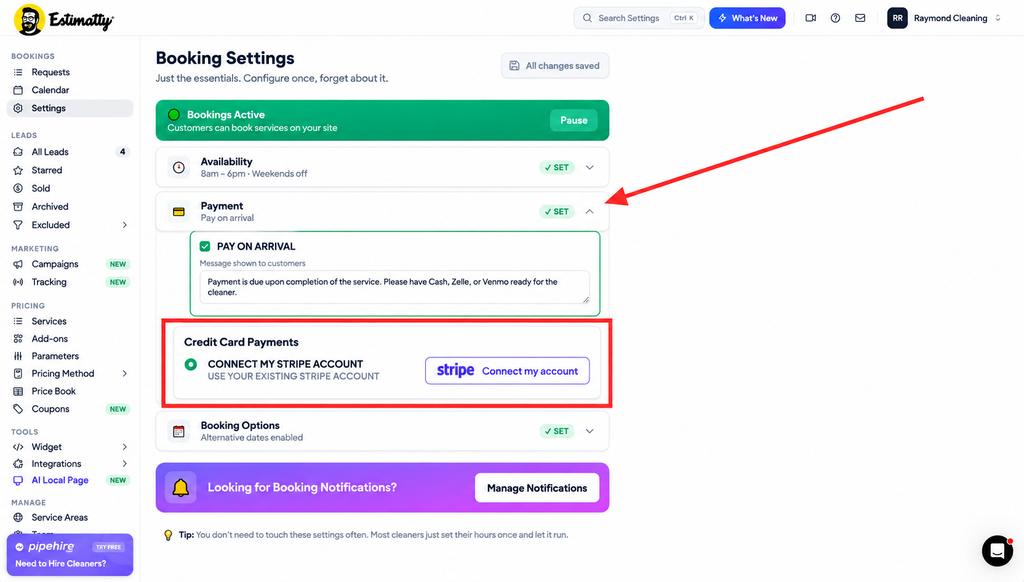
3. Open Payment and Connect Your Stripe Account
Once you are on the Booking Settings page:
- Find the Payment section.
- Click the arrow on the right side to expand the section.
- Under Credit Card Payments, select Connect My Stripe Account.
- Click Connect my account.
You will then be redirected to Stripe to complete the connection process.
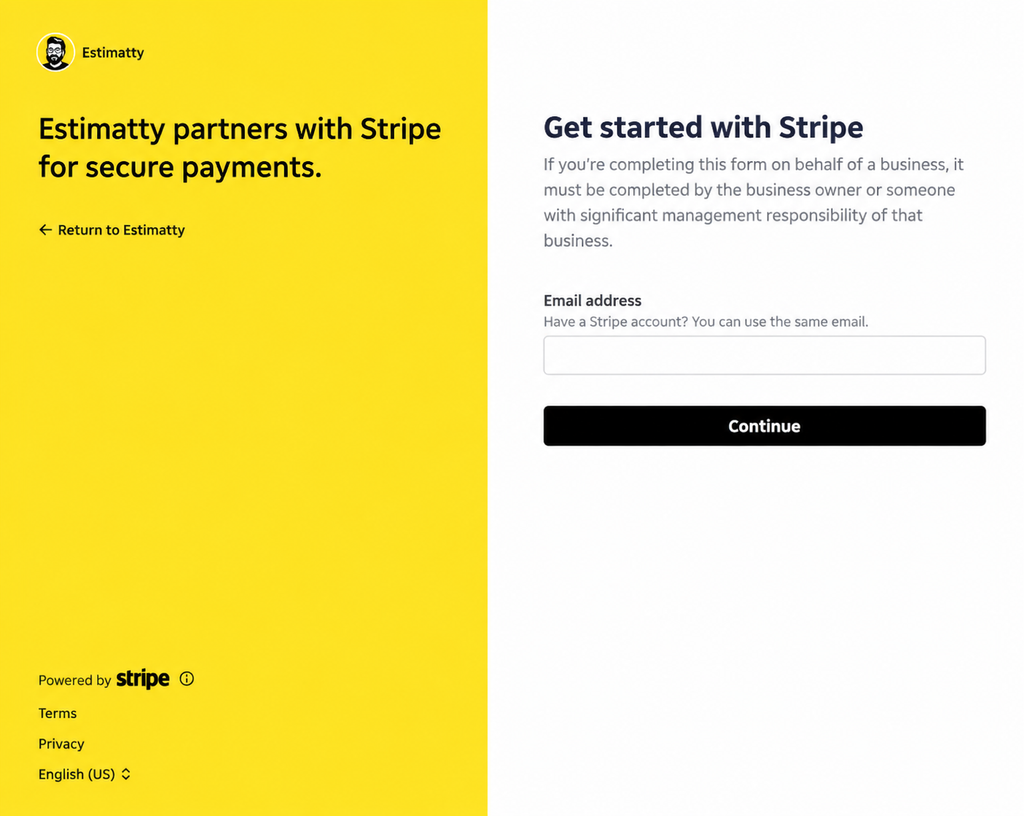
4. Enter Your Stripe Email Address
After clicking Connect my account, you will be redirected to Stripe to begin the connection process.
On the Stripe page:
- Enter the email address associated with your Stripe account.
- Click Continue.
Tip: If you already have a Stripe account, you can use the same email address associated with that account.
3. Enter your Stripe password.
4. Click Submit.
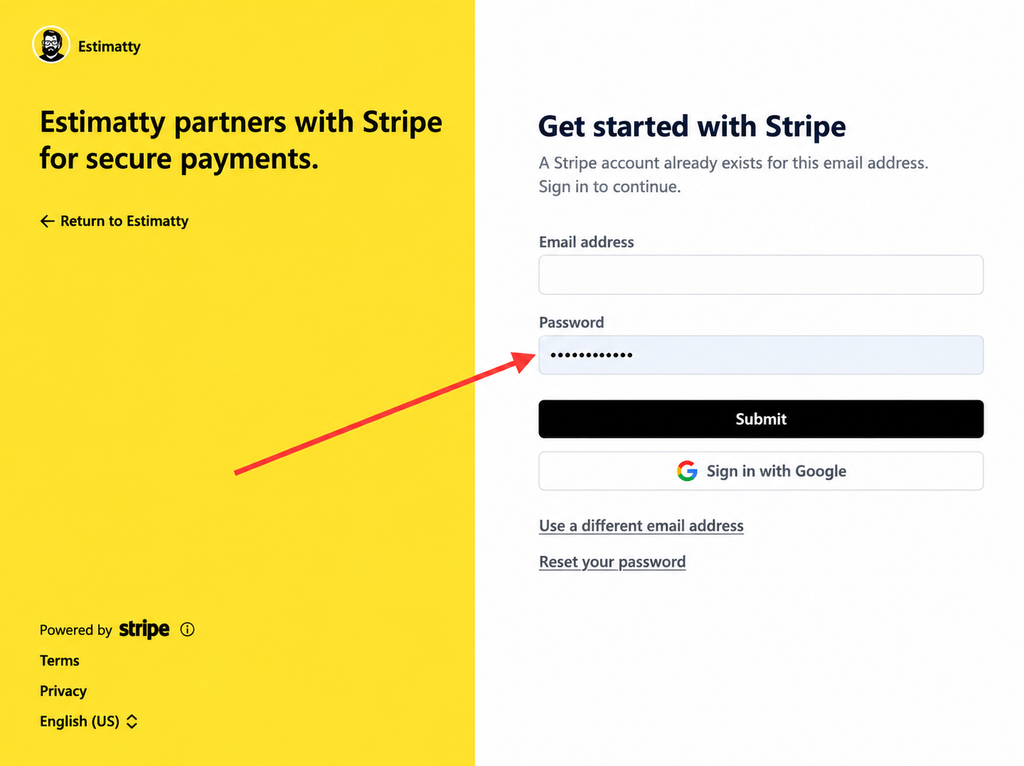
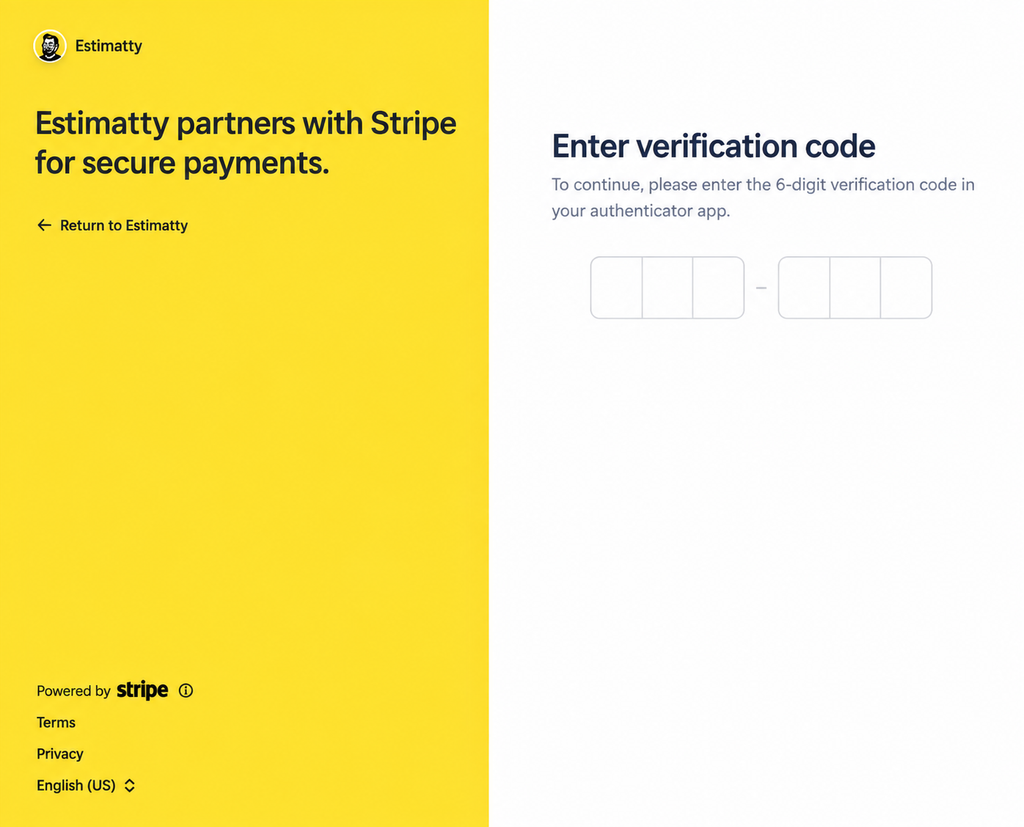
5. Stripe will send a 6-digit OTP (verification code) to the email address associated with your Stripe account. If you have an authentication app connected to your Stripe account, you may also be able to retrieve the code from your authentication app.
6. Enter the 6-digit code to continue.
7. Connect Your Existing Stripe Account
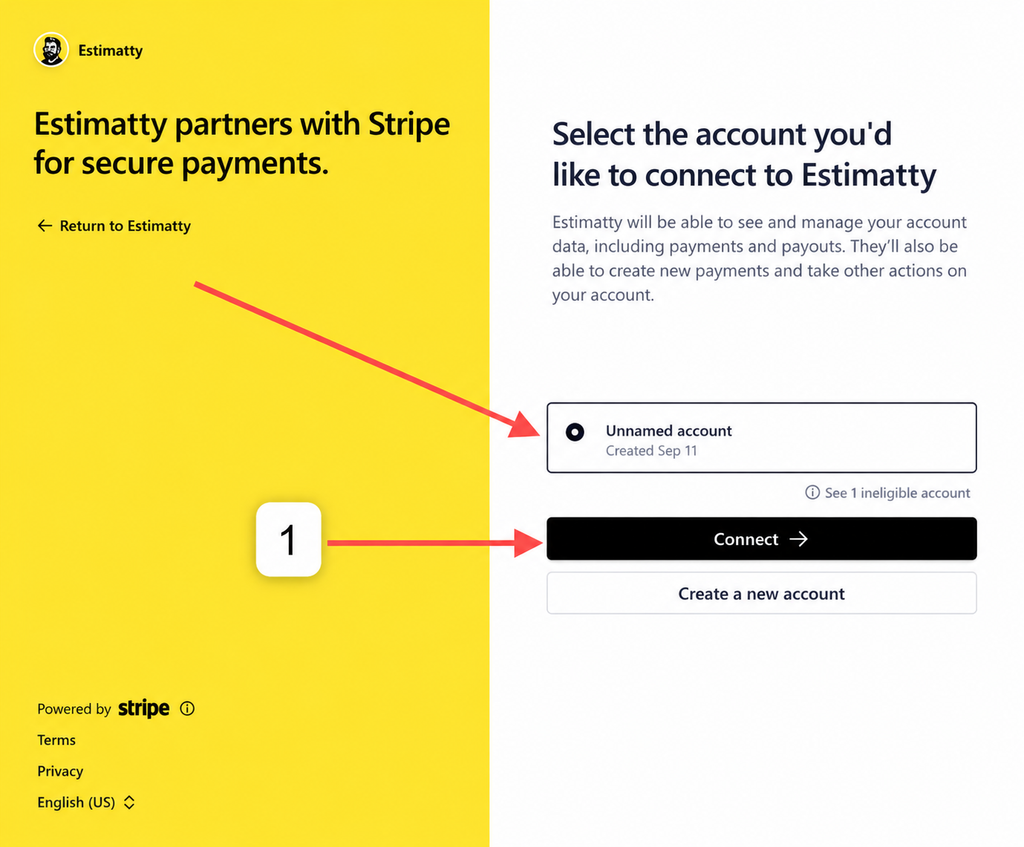
After verifying your email, Stripe will ask you which account you would like to connect to Estimatty.
If you already have a Stripe account, select your existing account and click Connect.
Once you click Connect, Stripe will continue with the account connection process.
8. Create a New Stripe Account
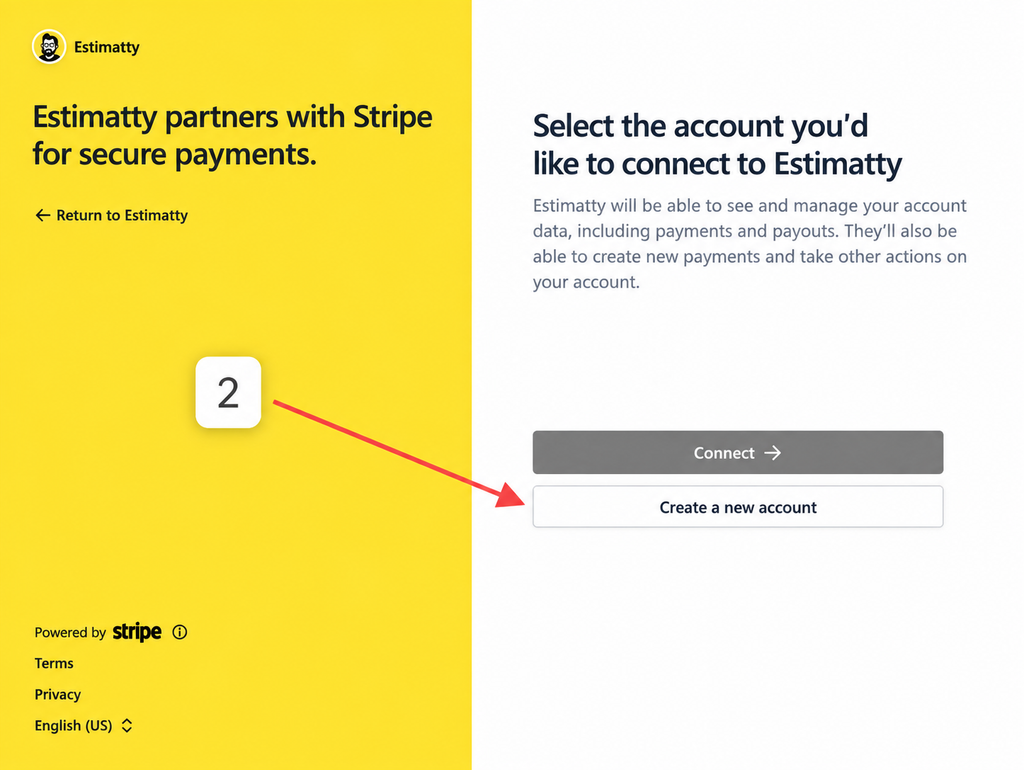
If you don’t have a Stripe account yet, click Create a new account to start setting up your Stripe account.
Follow Stripe’s instructions to complete the account creation process.
Tip: If you already have a Stripe account, use the Connect option instead of creating a new account.
You’re All Set! 🎉
Your Stripe account is now connected to Estimatty and ready to accept credit card payments.
You can now return to Estimatty and continue using your booking settings.