
The Talent Pool gives you access to a database of over 200,000 qualified cleaning professionals across the United States, helping you hire faster and grow your business.
Step 1: Open the Talent Pool Login Page
Go to the following website:
https://leads.estimatty.com/sign-in
You have two options to sign in:
- Continue with Google – Choose this option if you registered your account using your Google account.
- Email & Password – Enter the same email address and password you used when creating your Talent Pool account, then click Continue.
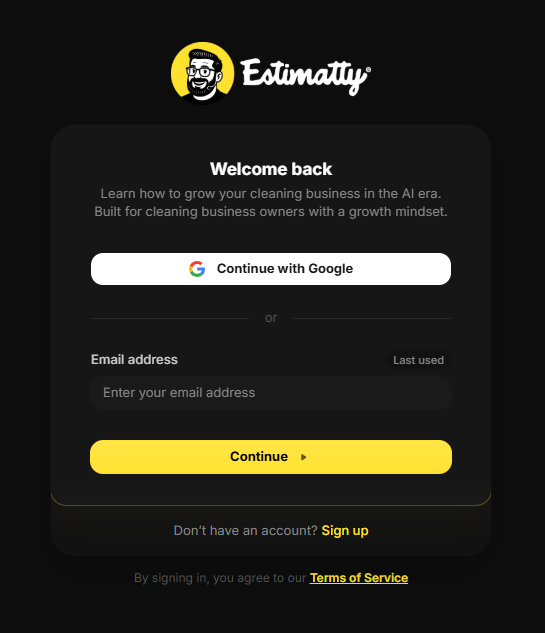
Once you have successfully signed in, you will be redirected to the Talent Pool dashboard, where you can search, filter, and connect with qualified cleaning professionals across the United States.
Note: If you forgot your password, click Forgot password? to reset it using your registered email address.
Step 2: Verify Your Email
After signing in, a 6-digit verification code will be sent to the email address associated with your account.
Check your inbox, enter the verification code in the fields provided, and click Continue to complete the sign-in process.
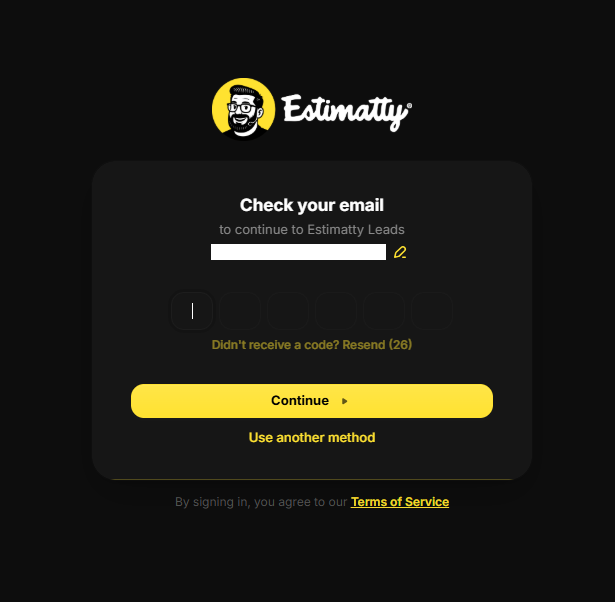
Didn’t receive the code? Click Resend to request a new verification code. If needed, you can also select Use another method to choose a different sign-in option.
Step 3: Welcome to the Main Dashboard
After entering the verification code (OTP), you will be redirected to the Main Dashboard of the Talent Pool.
This is the home page of the platform, where you can manage your leads and begin searching for qualified candidates.
At the top of the page, you’ll find a navigation bar with quick access to the following sections:
- Login to Estimatty – Opens your Estimatty dashboard, where you can manage your account and business settings.
- Login to Talent Pool – Takes you directly to the Talent Pool platform, where you can search and manage qualified candidates.
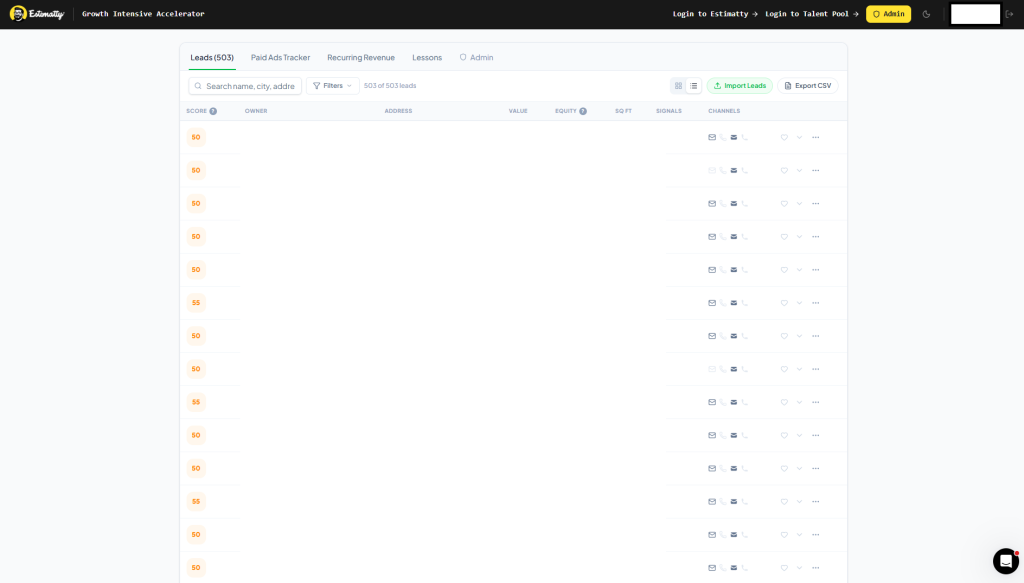
Below the navigation bar, you’ll find the Main Dashboard, where you can:
- 🔍 Search for candidates by name, city, or address.
- 🎯 Apply filters to narrow your search results.
- 👤 View candidate profiles and contact information.
- 📥 Import your own leads.
- 📤 Export your leads as a CSV file.
The Main Dashboard is your central hub for managing leads and finding qualified candidates, helping you streamline your hiring process and grow your cleaning business.
Step 4: Access the Talent Pool
To open the Talent Pool, click Login to Talent Pool in the top navigation bar.
This shortcut will take you directly to the Talent Pool, where you can search, filter, and manage qualified candidates for your business.
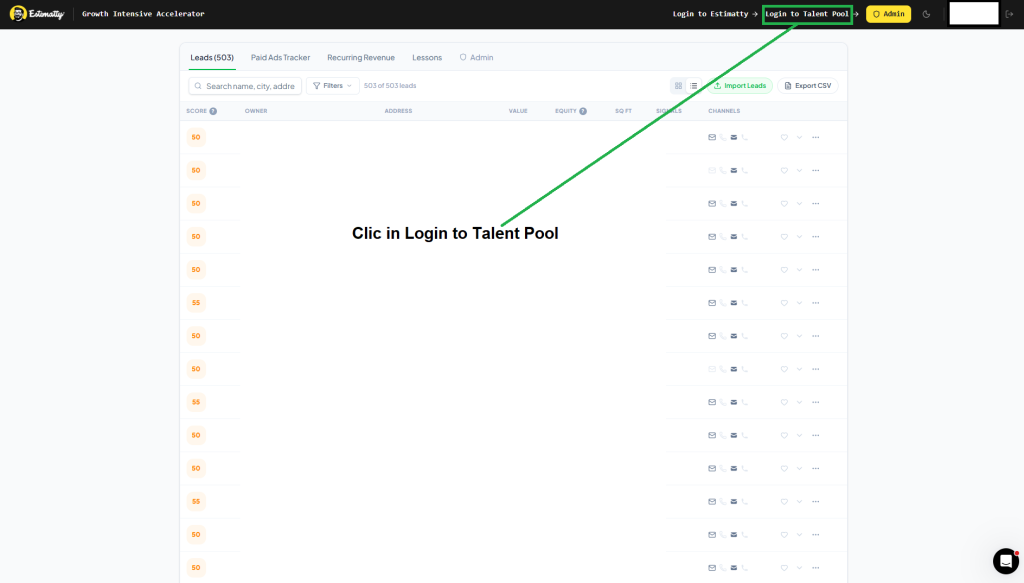
Tip: Use this button anytime you want to quickly return to the Talent Pool while working within the Growth Intensive Accelerator platform.
Step 5: Confirm Your Access to the Talent Pool
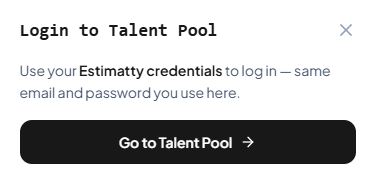
After clicking Login to Talent Pool, a confirmation window will appear.
Click Go to Talent Pool to continue. You will use the same Estimatty credentials (email address and password) associated with your account, so there is no need to create a separate login.
Once you click Go to Talent Pool, you’ll be redirected to the Talent Pool platform, where you can begin searching and managing qualified candidates.
Step 6: Sign In to the Candidate Pool
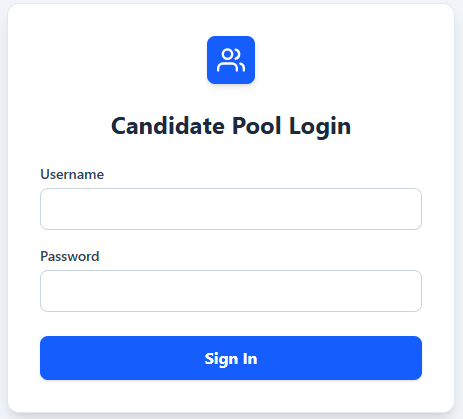
You will be redirected to the Candidate Pool Login page.
Enter the same email address and password you use for your Estimatty account, then click Sign In to access the Candidate Pool.
Once you’ve signed in successfully, you’ll be able to search, review, and manage candidates directly from the Candidate Pool dashboard.
Step 7: Welcome to the Candidate Pool
Congratulations! You have successfully accessed the Candidate Pool.
This is your main workspace for finding and managing qualified candidates. The database contains over 200,000+ candidate records from across the United States.
From this page, you can:
- 🔍 Search candidates using filters such as State, City, ZIP Code, Application Status, Age Range, Grade, Work Authorization, and Driver’s License.
- 👤 View candidate information, including location, age, work authorization status, and license availability.
- 📧 Review masked contact information for each candidate.
- 📋 Browse candidate history and previous job applications.
- 📄 Navigate through thousands of candidate records using the pagination controls at the bottom of the page.
Use the available filters to quickly find candidates who match your hiring requirements and streamline your recruitment process.

Step 8: Filter Candidates
Use the filters at the top of the page to quickly find candidates that match your hiring needs.
You can filter candidates by:
- State – Select the state where you’re hiring.
- City – Narrow your search by city.
- ZIP Code – Search for candidates within a specific ZIP Code.
- Applied – Filter candidates based on their application status.
- Age Range – Specify a minimum and maximum age.
- Grade – Filter candidates by their assigned grade (A, B, or C).
- Authorized – Show only candidates with the desired work authorization status.
- License – Filter candidates based on driver’s license availability.
- Rows – Choose how many candidate records are displayed per page.
Using these filters helps you quickly narrow down the database and identify the most qualified candidates for your open positions.