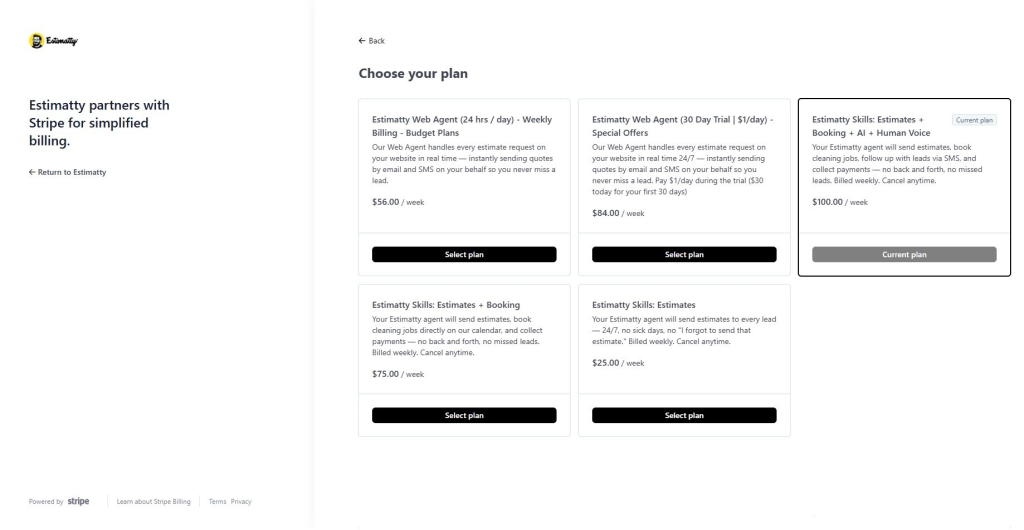
Follow these steps to change/update your Plan:
- Log in to your Estimatty account
Go to Estimatty and sign in to your dashboard.
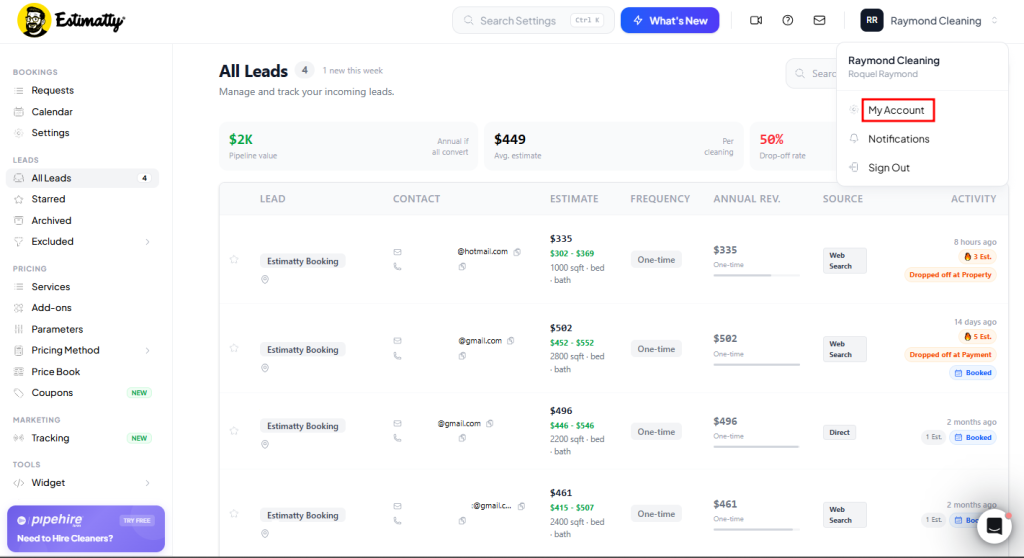
- Navigate to “My Account”
In your Estimatty dashboard, go to Your Name → My Account in the upper right corner. In this section, your Account Settings will appear.
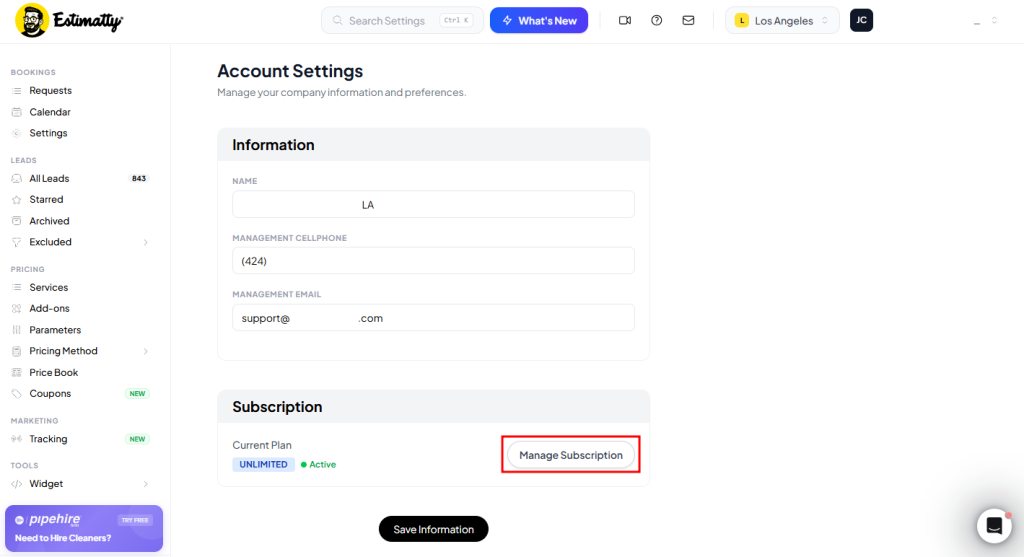
- Go to Manage Subscription
In your Account Settings, select Manage Subscription.
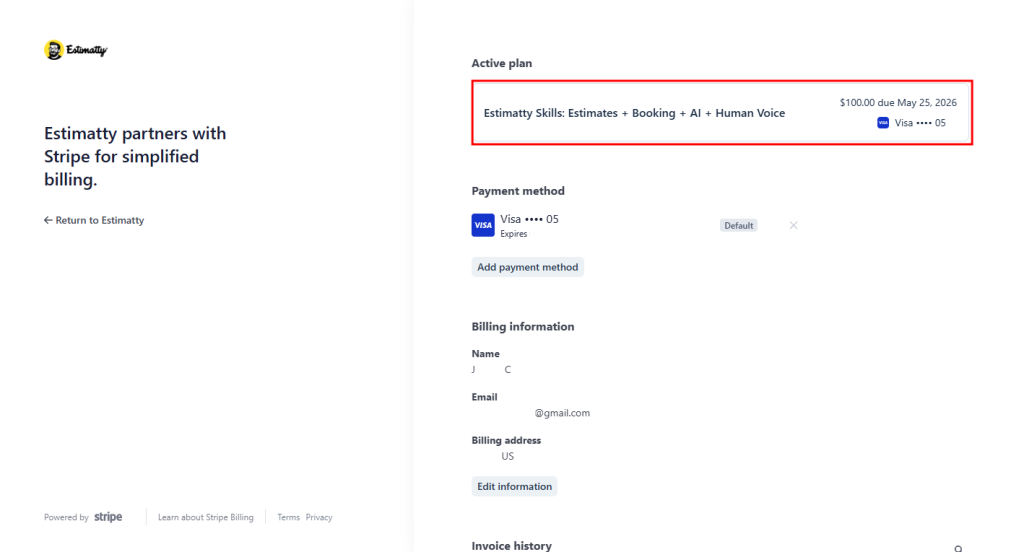
It will take you to Stripe, and it’ll show your Active plan, Payment method, Billing information, and Invoice history.
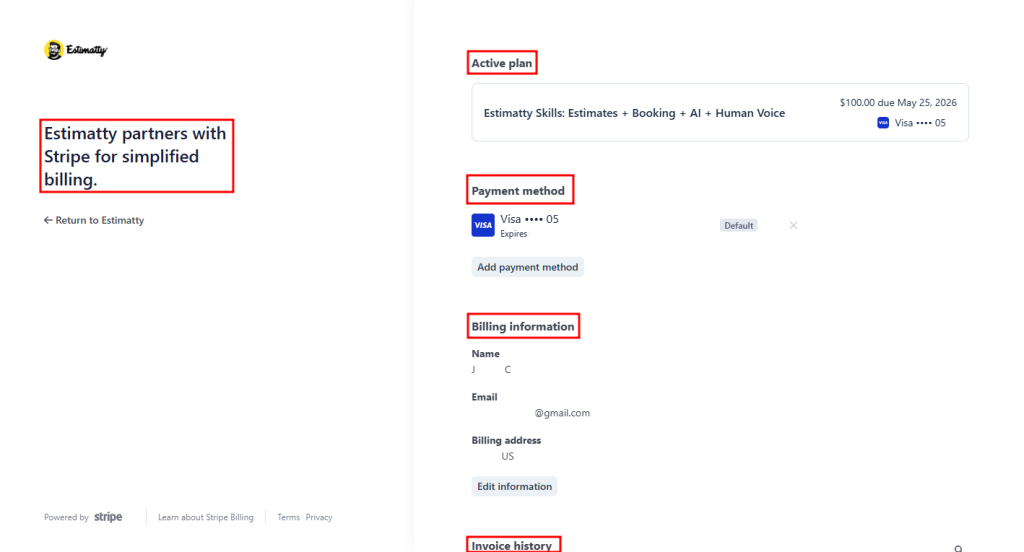
- Go to Your Active Plan
Select your Active Plan.
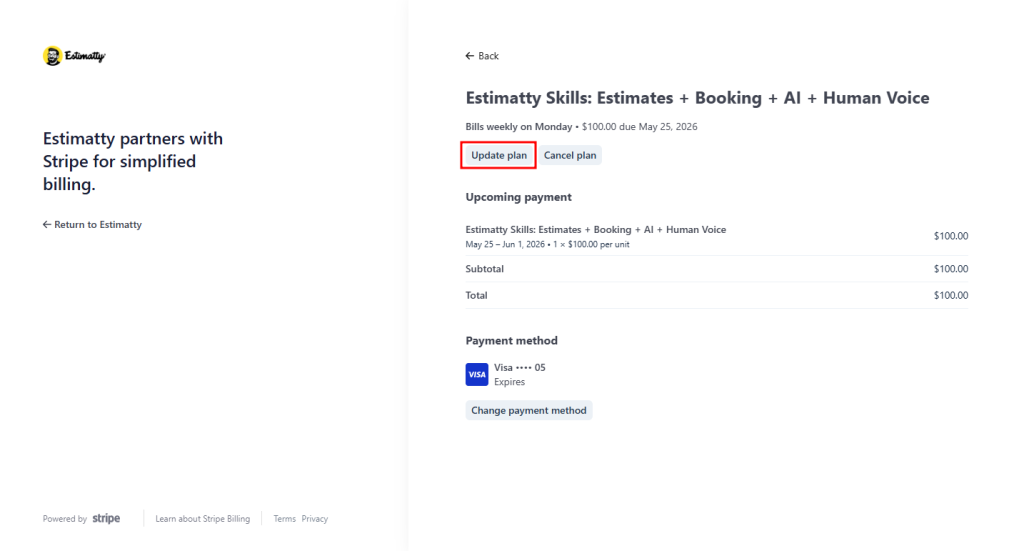
It will take you to your Active Plan details. Then select the Update Plan button.
- Choose Your Plan
In Choose Your Plan, your Current Plan will appear, and the different plans available (and their descriptions to know what they include).
Select the Plan of your preference, and it will update the billing to the new Plan amount. And lastly, you will need to confirm changes.